

















Table of Contents
- • AdGuard Review Summary
- • About AdGuard
- • Other opinions about AdGuard
- • Overview of AdGuard
- • AdGuard Review
- • AdGuard Ad Blocker Review
- • AdGuard for Mac Review
- • AdGuard for Android Review
- • AdGuard Pros & Cons
- • AdGuard Usage and Features
- • AdGuard Return Policy
- • AdGuard Digital Delivery
- • AdGuard Warranty
- • Contact AdGuard
- • Where to buy AdGuard?
- • Conclusion of AdGuard reviews & ratings
AdGuard Review Summary
AdGuard is a multi-platform software solution designed to block ads, trackers, and malicious content, generally enhancing privacy and browsing speed across various devices. It plays a role in providing system-wide ad blocking and privacy protection, often delivering effective performance but may require time to adjust settings for optimal use. Overall, its reliability and extensive feature set tend to satisfy users who need comprehensive coverage beyond browser extensions.
Highlights
- Suitable for users comfortable with system-wide ad blocking and privacy controls
- Offers broad coverage across multiple platforms and device types
- Balance of strong filtering with a learning curve and occasional site compatibility issues
- Generally effective with a 7.4/10 user rating
Within the ad-blocking and privacy software category, AdGuard holds a position as a more complex but comprehensive option. Alternatives with simpler interfaces exist but may lack depth in multi-device support. The AdGuard review provides a detailed perspective for those considering this solution in the broader market context.
About AdGuard
Online users often struggle with intrusive ads, trackers, and malware that disrupt browsing and compromise privacy. These issues can slow devices and degrade the overall internet experience. Effective protection against such interruptions is increasingly essential.

AdGuard provides a range of ad blocking and privacy tools for multiple platforms. It delivers system-wide filtering beyond browser extensions, supporting Windows, Mac, Android, and iOS devices. Positioned as a mid- to high-tier software, it offers more comprehensive coverage than basic blockers.
AdGuard has over 160 million users worldwide and maintains a 4.4-star rating from more than 9,600 Trustpilot reviews. It is recognized for reliable ad blocking, multi-device support, and responsive customer care. The company, based in Cyprus, has operated for over 17 years with widespread user adoption.
The software suits users who want effective system-wide ad and tracker blocking and are comfortable with some configuration. It can require a learning curve and occasionally uses more system resources than simpler extensions. For a detailed perspective, see the AdGuard review.
Other opinions about AdGuard
Opinions and insights gathered from trusted review articles and authoritative websites covering AdGuard.
Overview of AdGuard
AdGuard is a software company specializing in ad blocking and online privacy protection solutions. It operates within the software industry, focusing on products that address intrusive ads, tracking, and privacy concerns originating primarily from Cyprus. The company provides tools designed to improve user experience across multiple digital environments.
AdGuard develops and supports a range of products including ad blockers for Windows, Mac, Android, iOS, browser extensions, VPN, DNS filtering, and email protection services. Its business model involves direct digital sales and subscriptions through its official website and platforms like the Microsoft Store. The company serves a global user base with software that integrates system-wide ad and tracker filtering beyond traditional browser extensions.
AdGuard has been in operation for over 17 years and has a reported user base exceeding 160 million. It is recognized for its system-wide approach to ad blocking, including HTTP3/QUIC support and parental control features. The software maintains an average rating of 4.4 out of 5 from more than 9,600 user reviews on Trustpilot and is noted for global availability and multi-platform coverage relevant to diverse user needs. The recent AdGuard Review highlights these measurable operational aspects and user engagement metrics.
AdGuard Review
AdGuard is a software brand focused on providing ad blocking and privacy protection solutions across multiple platforms. It aims to enhance user experience by reducing intrusive ads and safeguarding online privacy. The brand supports a broad range of devices and operating systems to offer consistent protection.

AdGuard offers various products including system-wide ad blockers for Windows, Mac, Android, and iOS, along with browser extensions, VPN, and DNS filtering services. Its tools block ads, trackers, and harmful sites to improve browsing speed and security. Positioned as a reliable privacy solution, AdGuard integrates advanced filtering and parental controls for comprehensive coverage.
AdGuard Highlights- System-wide ad and tracker blocking
- Multi-platform support
- Parental controls and phishing protection
- Advanced filtering options
- Performance and security improvements
AdGuard Ad Blocker Review
AdGuard Ad Blocker is a system-wide ad blocking software designed to provide protection beyond standard browser-based ad blockers. It targets users seeking comprehensive ad blocking across multiple applications and platforms. The product aims to improve the overall browsing experience by addressing various types of intrusive ads and trackers.
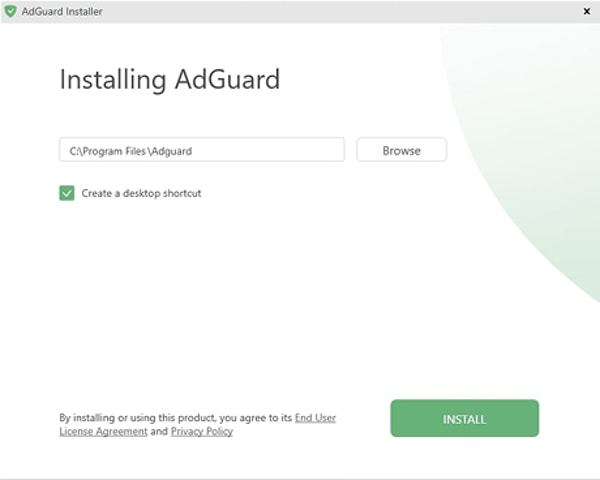
The software blocks video ads, trackers, and malware using advanced filtering technologies. It also helps speed up browsing by reducing unwanted content and supports functionality across different apps and sites. AdGuard Ad Blocker is available for Windows and other platforms, offering various user controls and settings.
AdGuard Ad Blocker is intended for users who want a broad ad blocking solution that covers more than just web browsers. It supports multiple devices and platforms and is distributed globally through direct digital downloads. The product is accessible to both individual users and those with more advanced privacy needs looking for system-level protection.
Check Price • adguard.com
AdGuard for Mac Review
AdGuard for Mac is a software product designed to provide ad and tracker blocking at the system level on macOS. It belongs to the category of privacy and security tools aimed at improving user experience by minimizing unwanted content during browsing and app use.
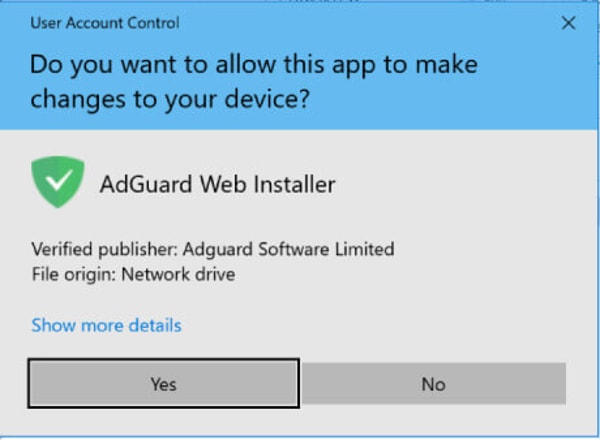
The product includes features such as parental controls and phishing protection to enhance security for its users. It operates across the operating system, blocking intrusive ads and trackers to help safeguard privacy and improve device performance.
AdGuard for Mac targets users who prioritize strong privacy measures and require multi-layered protection on their Apple devices. It is compatible with macOS and accessible through direct digital purchase from the official AdGuard website, supporting a global user base seeking comprehensive ad blocking and privacy solutions.
Check Price • adguard.com
AdGuard for Android Review
AdGuard for Android is a software solution designed to provide system-wide ad blocking and privacy protection on mobile devices. It falls within the category of privacy and security tools aimed at enhancing user control over online experiences. The software is built to reduce interruptions while browsing and using apps by filtering out unwanted content.

The app includes support for advanced protocols like HTTP3/QUIC, which contributes to network efficiency and speed improvements. It applies multi-layered filtering techniques that operate across both applications and browsers, ensuring consistent protection from ads and trackers.
AdGuard for Android targets users who require comprehensive privacy controls and ad blocking beyond typical browser extensions. It is compatible with various mobile environments and serves those seeking enhanced browsing speed and security. The product is available globally through official digital distribution channels, making it accessible for a wide audience.
Check Price • adguard.com
AdGuard Pros & Cons
AdGuard provides effective system-wide ad and tracker blocking across multiple platforms including Windows, Mac, Android, and iOS. It includes useful features such as parental controls and phishing protection, and it is generally well-regarded for improving internet speed and maintaining reliable performance. Customer support is typically responsive and helpful, with both lifetime and yearly license options available to users.
However, the software presents a steep learning curve for non-technical users, which can make initial setup challenging. Some users report occasional false positives that can disrupt website layouts, and the program tends to use more system resources than browser-only ad blockers. These limitations should be considered by those seeking a simpler or lighter solution.
- • Effective system-wide ad blocking
- • Supports multiple platforms
- • Includes parental control features
- • Phishing protection included
- • Responsive customer support
- • Improves internet and device speed
- • Offers lifetime and yearly licenses
- • Reliable and stable performance
- • Steep learning curve for non-technical users
- • Occasional false positives disrupt sites
- • Higher resource usage than browser-only blockers
AdGuard Usage and Features
AdGuard filters ads, trackers, and malware at a system-wide level, covering browsers and apps across supported devices. It uses advanced technologies such as HTTP3/QUIC to improve loading speeds and includes features like parental controls, phishing protection, and DNS-level filtering. The software offers customizable filtering options to meet varied user needs.
Benefits of using AdGuard include blocking intrusive advertisements and pop-ups, protecting user privacy and personal data, and enhancing device performance by reducing slowdowns caused by ads. Configuration may require technical knowledge because of the wide range of customization settings available. Overall, it provides comprehensive ad and threat blocking across multiple platforms.
AdGuard Return Policy
Refund requests should be submitted within 60 days from the date of purchase. There are no explicit fees associated with requesting a refund. To receive a refund, customers need to contact support via email, although some users have reported delays or lack of response.
Detailed conditions or exclusions for refunds have not been specified. The policy lacks specific information about any exclusions or limitations related to refunds. Customers should be aware that processing times may vary and should allow for potential delays when contacting support for refund requests.
AdGuard Digital Delivery
The product is available globally through digital delivery methods. Access is immediate upon purchase, with activation via license key or account login. There is no physical shipping involved, and no carriers are used in the delivery process.
AdGuard Warranty
No explicit warranty details are provided for the product. Return and warranty policies are not clearly documented, and support manages refunds within the money-back guarantee period. Customers are advised to consult the official website or contact support for specific warranty information.
Users should carefully review the terms available on the official site when considering warranty inquiries. Support is the primary channel for addressing warranty and refund issues. Information about return or warranty coverage may require direct communication with the support team to clarify.
Contact AdGuard
Users can reach AdGuard for support or inquiries using the available contact methods below. This includes direct email and phone communication.
- Email: [email protected]
- Phone: +35795147531
AdGuard support generally aims to respond within 24 hours, though some delays may occur. Additional information is available on the official website.
Where to buy AdGuard?
AdGuard is officially available for purchase through its official website, where users can manage licenses via a secure account system and access customer support directly. Purchasing from adguard.com ensures clarity of policies and reliable service. Users can expect immediate digital delivery and activation. While the Microsoft Store also offers AdGuard, experience and policy details may vary across marketplaces, so relying on the official site typically provides more consistent support and control over subscriptions.
Conclusion of AdGuard reviews & ratings
AdGuard plays a significant role in privacy and ad-blocking software by offering comprehensive, system-wide solutions. Its strengths include broad platform support and advanced filtering that enhances browsing across devices. Users can learn more about its capabilities at adguard.com, which provides detailed product information and downloads.
Exploring the features further can help users determine if AdGuard fits their needs, with resources available for reference. Readers interested in a deeper understanding can revisit this page to read the AdGuard review, offering an insightful perspective on the brand’s offerings and user experience.
Editorial notes reflect aggregated buyer feedback and our independent editorial review of publicly available information. They are for informational purposes only and do not constitute endorsements. Purchases are made at your own discretion, and we are not responsible for transactions or outcomes related to this store. Experiences may vary. This content is assisted by AI and reviewed by our editorial team. While we strive for accuracy, AI-supported information may not always be 100% precise, so please verify any critical details.

